You know me, I like to get my feet involved when I use my computer, which happens pretty much all day every day at this point. My cache of pedal inputs keeps growing like mushrooms in the darkness under my desk: every upper case letter in this post and dozens more have been capitalized with a shift pedal!
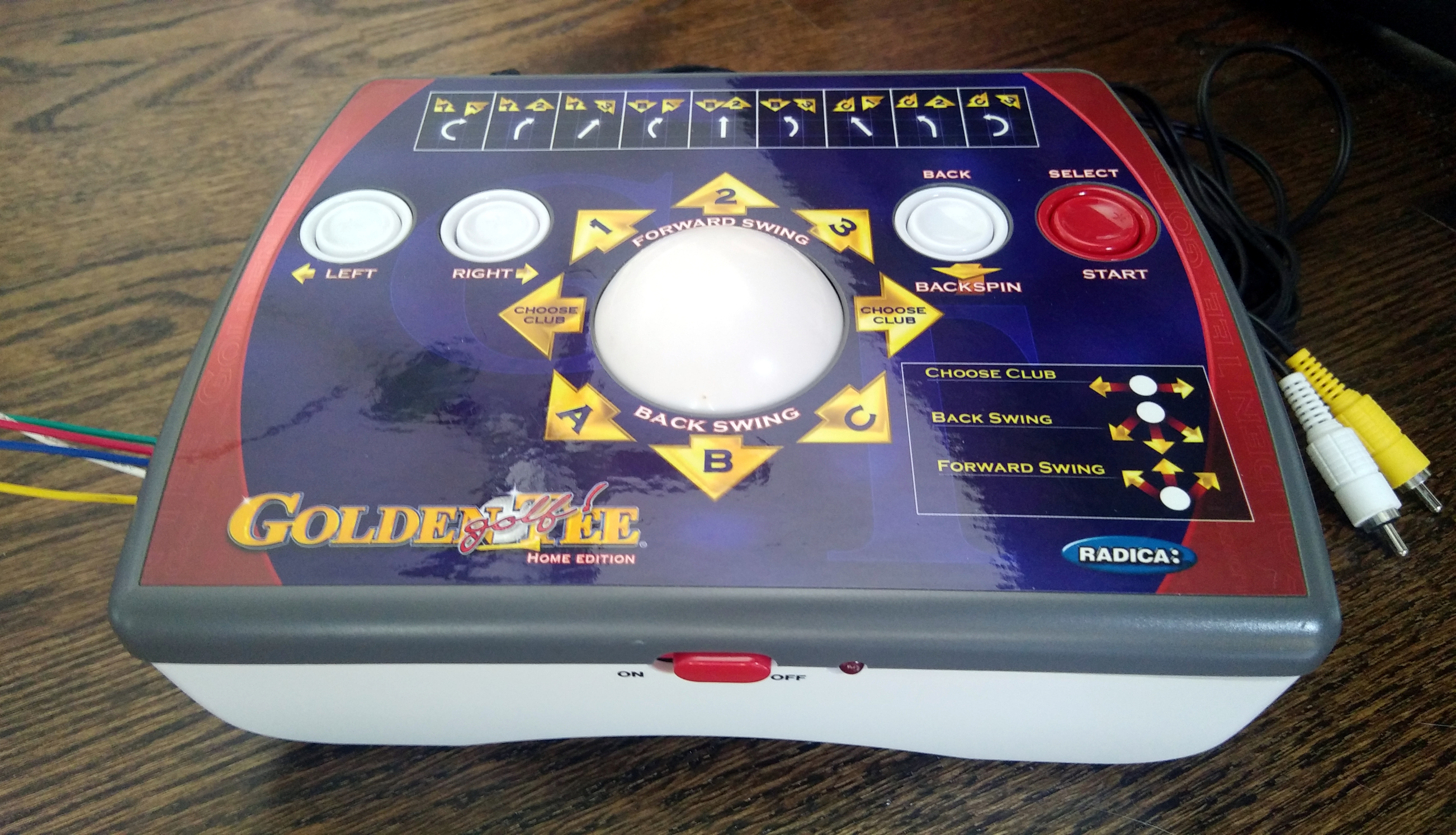 Naturally, I’ve thought about what it might be like to mouse with my toes. The more time I can spend with both hands on the keyboard, the better. I started sniffing around for foot-sized trackball candidates, thinking maybe I could just build one with regular mouse guts. Then I found a 15-year-old Golden Tee home edition console at a thrift store. It has a large ball and four buttons, so it seemed ripe for turning into a mouse as-is, or just stealing the ball to build my own. So far, that hasn’t happened, though I did solder a bunch of wires for testing out the controls.
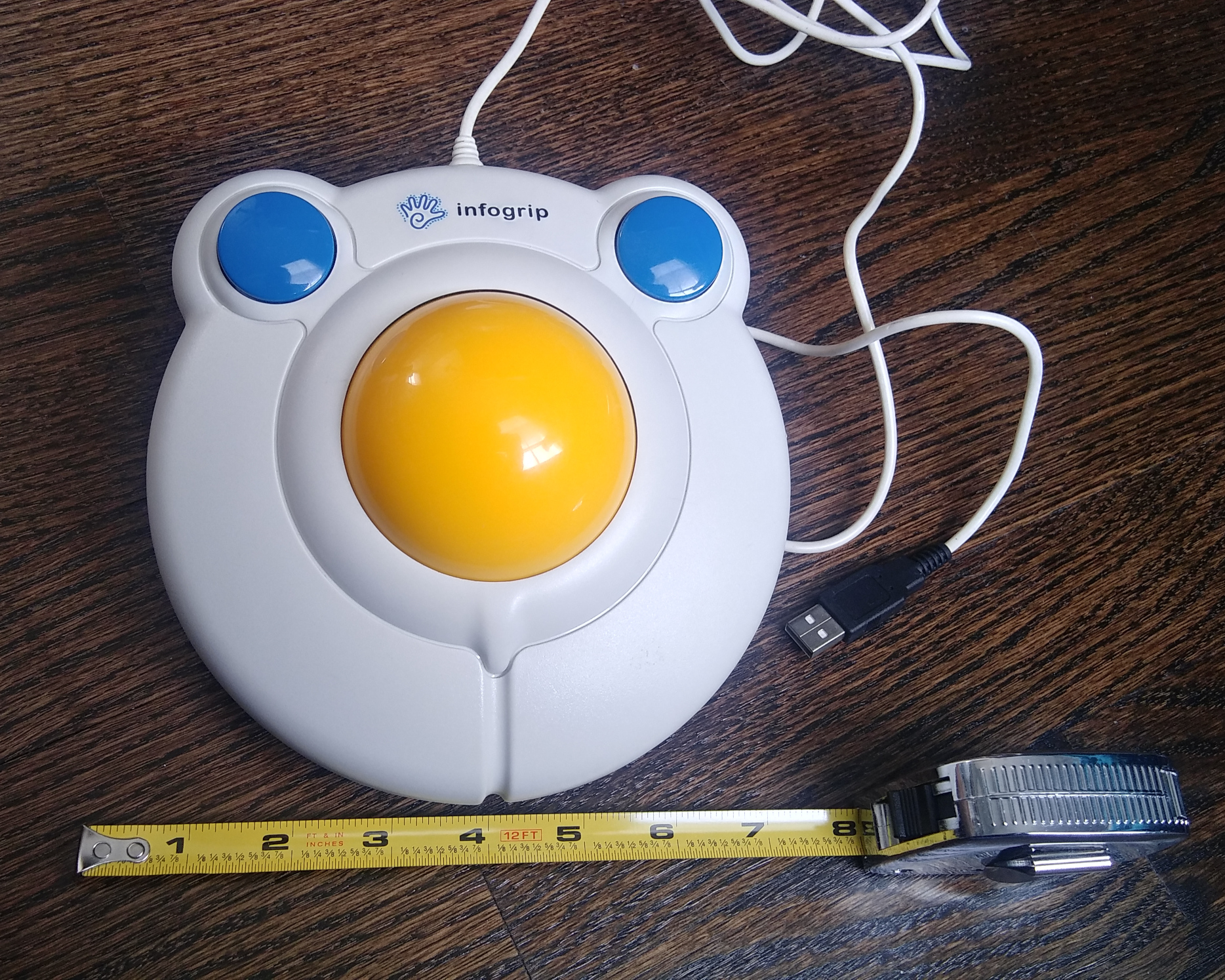
Then I found out about this almost-perfect, existing mouse that resembles a sunny-side-up egg. Its trackball is much bigger than the Golden Tee’s, maybe even twice as big. And more of the ball is exposed, so it’s way easier to roll than the one on the console, regardless of what appendage is used.
This is a BIGtrack mouse. You’re right, it looks like something Fisher Price would market to toddlers. But this is an assistive device for people of all ages. It has a 3″ trackball and buttons that are just over 1″ across. This friendly-faced egg mouse weighs just over a pound, most of which is in the trackball. I think it would survive just fine living on the floor underneath my foot — the shell is made of thick plastic and seems sturdy.
This mouse has a cool feature for people with low mobility who are unable to drag and drop the traditional way. They call it drag lock. If you hover the cursor over the item you want to move and double click the right mouse button, the drag lock is enabled. Drag it wherever you want, and click either of the buttons to let it go.
The electronic bay is crawling with BIGtrack mice both young and old, and after a few months of email alerts, I found one in my price range. They were originally made by Infogrip, which is the same company who made the BAT chording keyboard I roared about in the last installment of this column.
As we learned then, Infogrip has gone out of business, and their old stock is being sold by Boundless AT and possibly others. But unlike the BAT keyboard, AbleNet appears to be making new BIGtracks and selling them as BIGtrack 2 in several places, including the online version of the fruit phone store. AbleNet have improved this mouse a bit by using two different colors for the buttons, which makes them easily distinguishable. There’s also a wireless version that can use either a USB dongle or Bluetooth. It has a slider switch on the back if you want to keep the drag lock function on all the time.
The BIGtrack has one fatal flaw as far as I’m concerned — there’s no scroll wheel. Total deal-breaker for me as a mouse replacement. I’d have to add a clickable rotary encoder if I wanted to use this as my daily driver. Of course, while I’m at it, I might as well add two extra buttons to cover the copy/paste shortcuts I have come to depend on to help save my pinkies and ulnar nerves.
These Buttons Push My Buttons
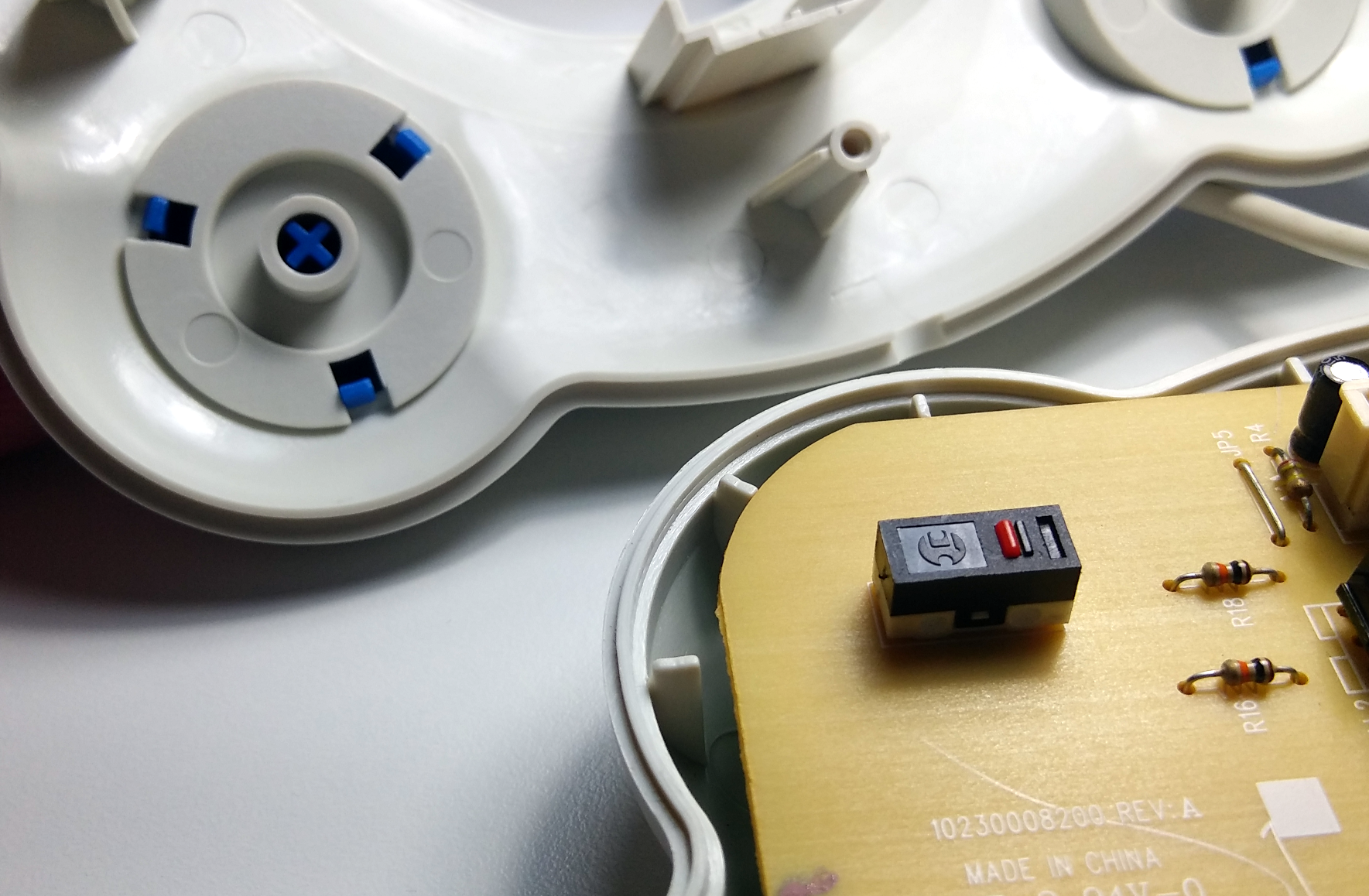
Despite being loud, clicky, and blue, these buttons fall short of being satisfying. In fact, they take quite a bit of force to actuate. For buttons on an assistive device, these don’t seem friendly for people who lack fine motor skills or have low mobility. I think the fault lies with both the buttons and the switches.
The problem with the buttons is that they pretty much have to be pressed dead center if you want the click to register. Pressing along the edge works about half the time, and incidentally, it makes the spring sing a bit upon release, like a Model M keyboard.
But these are big buttons on a piece of assistive technology, so they should be easy to actuate. Shouldn’t you also expect to be able to press them anywhere from dead center to the edge and have them click and release without issue? I say yes.
Then there’s the matter of how long it takes to press the buttons. There is an absurdly long travel distance before the button even touches the switch actuator. Then when the stem finally reaches the switch, it’s hitting an actuator that measures 4 mm x 1 mm.
Bigger, Better Buttons
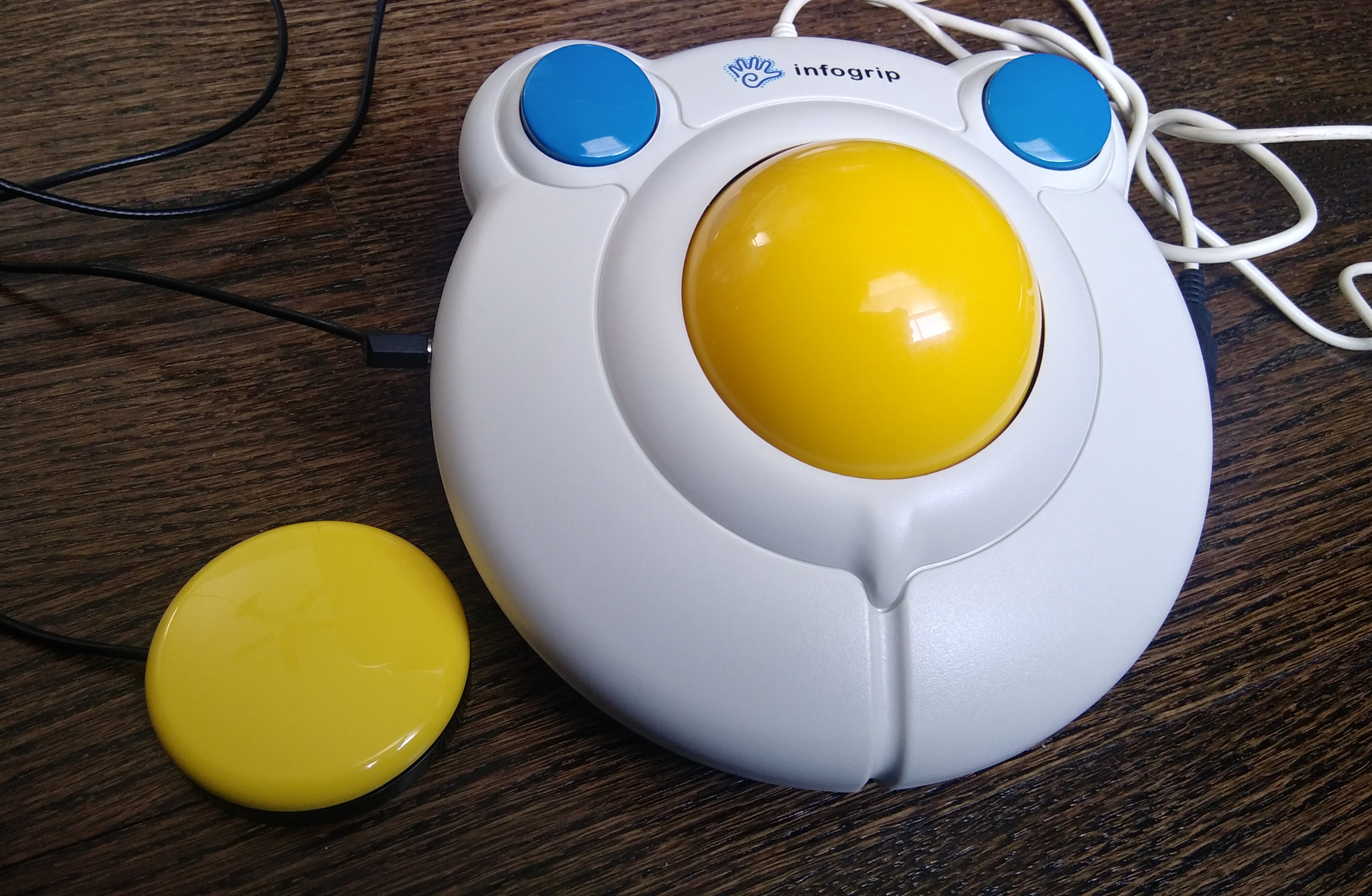
These button problems may be part of the reason that they came out with the “switch adapted” version, which is what I have. Both buttons are wired internally to 1/8″ phono jacks that allow you to plug in Buddy Buttons: specially-designed assistive tech buttons that are much larger and activate almost effortlessly.
That’s not breathless hyperbole — I have access to one, and they are designed quite well. Press it literally anywhere and it clicks, and the action is identical all over the thing. These buttons are ludicrously expensive, but could be easily emulated with a low-travel arcade switch wired to an 1/8″ plug and placed in a sturdy housing.
I’d love to see exactly what’s going on inside the Buddy Button, but I hesitate to take it apart because it’s not mine. I suspect that it is superior to the BIGtrack mouse buttons because of better distribution of force from the button to the switch.
Dissection
The BIGtrack, on the other hand, was easy to open — three screws in the circle of six were in plain sight, and the other three were hiding under adhesive rubber feet. Since this is the switch-adapted version, I also had to unscrew the nuts on the phono jacks to get the halves apart.
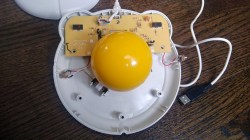
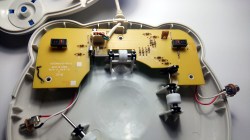
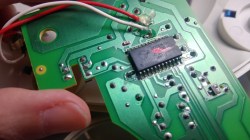
Inside, it’s a ball-mouse. A trio of rollers of middling quality connect to opto-interrupters, and a Cypress mouse chip does the rest. The plastic rollers are a bit of a disappointment, because plastic on plastic can only last so long, and a heavy track ball riding on them with the partial weight of a leg on top will not prolong the life any.
Still, I think this is a good assistive technology mouse because the trackball is so large. Hopefully, AbleNet has made the buttons more user-friendly in the newer versions. It’s unfortunate that these types of devices cost as much as they do, but at least the options are out there.
No comments:
Post a Comment